
-30%

Accessories, Computer Components
COSMIC BYTE STRATOS XENON (BLACK) GAMEPAD
Availability:
10 in stock
₹2,727.00 ₹3,878.00
10 in stock
Overview
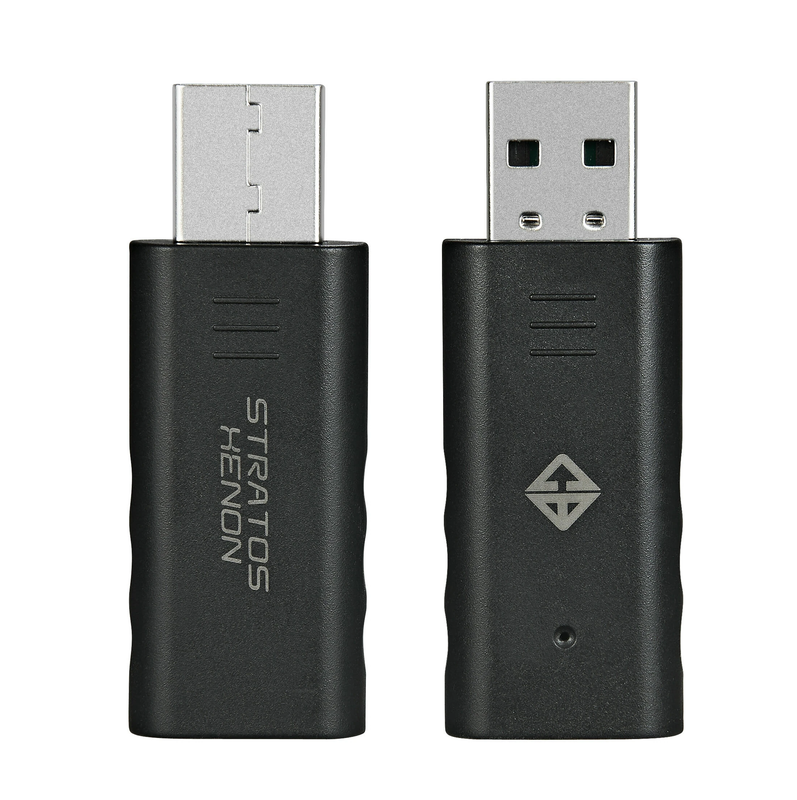
Stratos Xenon/ Quantum Dongle for PC This dongle allows the Stratos Xenon and Quantum Gamepad to work with PC directly as X-input or D-input gamepad.
Does not require third party software for the gamepad to work with PC.
Works as Xbox windows gamepad.
PAIRING THE DONGLE TO STRATOS XENON/QUANTUM CONTROLLERFOR THE 1ST TIME ON PC
- Plug the dongle to the USB port of the PC. The Blue LED on the dongle will start blinking.
- Press the Share + Home button on the controller for 3 seconds, The white led light on the controller will blink 4-5 times before it turns to blue and connects with the dongle.
- The Blue LED on the dongle will stop blinking.
- The controller is now ready for use.
CHANGING BETWEEN X-INPUT AND D-INPUT MODE
- Press the “Share + Options button on the controller for 2 seconds to switch between X-input and D-input mode.
Additional information
| Weight | 0.05 kg |
|---|---|
| Dimensions | 5 × 4 × 2 cm |
| EAN | 8906107601930 |
| Brand | Cosmic Byte |
| Color | Black |
| Connection Type | Wireless |
| Country of Origin | CN |
| HSN | 95045000 |
| Model Number | Stratos Xenon |
| Warranty | 1 Year |
There are no reviews yet.